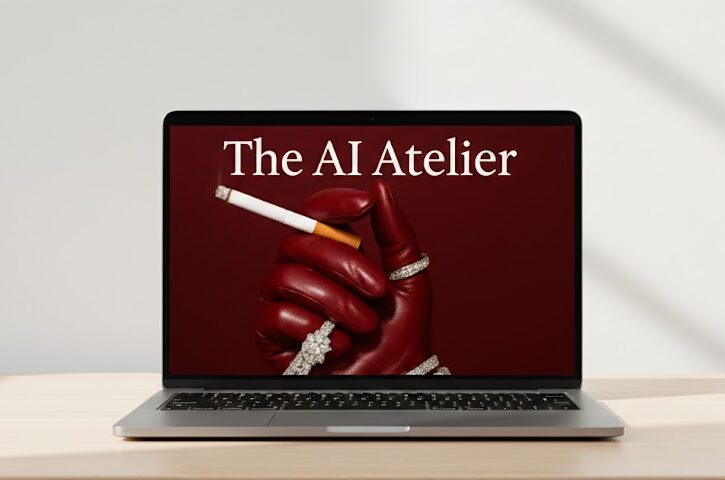
Niko x Studios – The AI Atelier Review
Niko x Studios – The AI Atelier is a practical AI design course focused on creating polished visual content and turning those skills into a client-facing creative service. The program combines AI image generation, AI video workflows, prompt development, creative direction, and client acquisition rather than concentrating on a single AI tool.
The publicly available curriculum is organized into five main areas: AI design fundamentals, tools and workflow, image creation, video creation, and getting clients. The course covers tools including GPT, Midjourney, Kling, and Sora, along with supporting resources such as prompt templates, outreach scripts, client contracts, and a Notion client portal.
That combination is what makes The AI Atelier more business-oriented than a typical “learn how to use an AI image generator” course. However, prospective students should also understand that AI tools change quickly, some platforms may require separate subscriptions, and learning a creative workflow does not automatically translate into paying clients.
What Is Niko x Studios – The AI Atelier?
The AI Atelier is an AI design and creative-business course created by Niko x Studios.
Rather than teaching one platform from beginning to end, the program approaches AI as part of a broader creative workflow. The curriculum covers visual design principles, prompt engineering, image generation, cinematic video creation, and the business processes needed to work with clients.
The publicly listed curriculum identifies five modules and includes practical resources designed around creative production and client work.
The course is therefore likely to be more useful to a designer, creator, freelancer, brand owner, or aspiring AI creative who wants to go beyond experimenting with AI-generated images.
It is worth remembering that the AI tools themselves are separate products. Features, pricing, usage limits, and interfaces can change independently of the course.
What You’ll Learn
Based on the published curriculum, The AI Atelier covers:
- The fundamentals of AI-assisted design and visual direction.
- How branding and visual language influence AI-generated content.
- Workflows involving GPT, Midjourney, Kling, and Sora.
- Techniques for developing more controlled and consistent image prompts.
- Creating branded image sets with a consistent visual style.
- Producing realistic textures and product-focused AI imagery.
- Creating cinematic AI video using Kling and Sora.
- The FRAME framework for AI video prompting.
- Finding potential creative clients.
- Writing outreach messages for email and direct messages.
- Pricing and delivering creative services.
- Client onboarding and payment workflows.
- Using contracts and a Notion client portal in a freelance workflow.
The course is therefore broader than a prompt-writing class. It connects creative production with the practical business steps involved in offering AI-powered visual services.

Course Modules
Module 1: Introduction to AI Design
The first module introduces AI design from a creative and branding perspective.
The published curriculum covers what AI design is, why brands are interested in it, and the role of visual language. Topics include elements such as lens, lighting, time, and tone.
This foundation matters because generating an attractive image is only part of professional visual work. A useful commercial workflow also needs consistency, direction, and a clear idea of what the image is supposed to communicate.
Module 2: Tools and Workflow
The second module moves into the tools used in the workflow.
The published curriculum identifies GPT, Kling, Midjourney, and Sora and discusses how they can be used together. It also covers which tools are free or paid and includes an editorial-style moodboard workflow.
For beginners, this section can help make the AI tool landscape feel less fragmented. Instead of learning each platform in isolation, the emphasis is on how different tools can fit into one creative process.
Module 3: AI Image Creation
This is one of the most technically focused sections.
The curriculum covers prompt techniques such as chain prompting and reverse prompting, along with methods for creating consistent branded image sets.
It also addresses realistic visual details, skin textures, and integrating physical products into AI-generated scenes.
The practical value here depends heavily on how much students practice. Prompting is not something that becomes reliable simply by watching lessons; the ability to evaluate outputs, identify problems, and refine instructions is an important part of the process.
Module 4: AI Video Creation
The fourth module focuses on AI-generated video.
It covers Kling and Sora, including cinematic video workflows and demonstrations of short brand videos. The curriculum also introduces the FRAME framework for AI video prompting.
This section should appeal to creators who want to move beyond static AI imagery and experiment with short-form commercial or social content.
Because generative video tools are evolving quickly, students should expect some interface and feature differences over time.
If your main goal is AI video production, see our AI video course reviews for additional options.
Module 5: Getting Clients
The final module moves from creative production into the business side.
Topics listed in the curriculum include finding clients, writing outreach messages, pricing and delivering work, onboarding, contracts, payments, and a Notion client portal.
This is an important distinction between The AI Atelier and many tool-focused AI courses. Learning to generate images is one problem; turning that skill into a service that a client understands and can purchase is another.
The course attempts to address both sides.
If you’re interested in developing broader freelance skills, explore our freelancing course reviews.
What Is Included With The AI Atelier?
The publicly available course information lists several supporting resources in addition to the core training.
Prompt Templates
Industry-specific prompt templates are included as a bonus resource.
These can give students starting points for different types of creative projects rather than requiring every prompt to be developed from a blank page.
Client Outreach Scripts
The program includes DM and email outreach scripts intended to help with client prospecting.
Scripts can save time when creating an initial outreach process, although they should be adapted to the individual client rather than copied and sent indiscriminately.
Client Contracts and Onboarding Resources
The published curriculum includes template contracts and a client onboarding process.
These resources can be useful for someone moving from experimentation into paid creative work, particularly if they have never built a simple client workflow before.
Notion Client Portal
A Notion client portal template is also listed among the course resources.
The practical advantage is organization: project information, communication, and delivery steps can be kept in a more structured environment instead of being scattered across messages and documents.
Prompt Like Niko Bot
The available course descriptions also list access to a “Prompt Like Niko” AI bot.
Because AI assistants and their capabilities can change over time, prospective buyers should verify the current access terms before purchasing.
Who Is The AI Atelier For?
The course appears best suited to:
- Graphic designers who want to incorporate generative AI into their existing workflow.
- Freelancers interested in offering AI-powered visual services.
- Brand owners who want to produce more of their own visual content.
- Social media creators who need a repeatable image and video workflow.
- Creative professionals who already understand basic design concepts and want to add AI tools.
- Beginners who are willing to learn both the creative and business sides of AI-assisted design.
It can also make sense for someone who has experimented with Midjourney or similar tools but struggles to turn random generations into consistent, intentional creative work.
Who Should Not Buy The AI Atelier?
The course may not be the right choice if you:
- Only want a basic introduction to ChatGPT.
- Are looking for a course focused exclusively on one AI platform.
- Expect AI tools to create professional work without creative judgment.
- Want guaranteed freelance clients or income.
- Do not want to practice and iterate on generated outputs.
- Are unwilling to pay for additional AI software when a particular workflow requires it.
- Are looking for traditional graphic-design training rather than AI-assisted creative workflows.
The client-acquisition material can provide a framework, but no course can guarantee that outreach will produce clients. Results will depend on the quality of the work, positioning, communication, market demand, and the individual’s consistency.
What Makes The AI Atelier Different?
The most interesting part of The AI Atelier is the combination of creative production and client acquisition.
A lot of AI education focuses almost entirely on the tools. That can teach someone where to click, but it doesn’t necessarily explain how to turn those capabilities into a repeatable creative service.
The AI Atelier attempts to connect the two.
You learn about visual direction and prompting, then move into AI images and video, followed by client outreach, pricing, onboarding, contracts, and delivery.
That doesn’t make the course a complete replacement for design or business experience. But it does give the curriculum a more practical direction than a collection of disconnected AI tutorials.
Pros and Cons
Pros
- Covers both AI design and client acquisition.
- Uses multiple major AI creative tools rather than focusing on only one platform.
- Includes image-generation and video-generation workflows.
- Covers prompt techniques such as chain prompting and reverse prompting.
- Includes practical outreach scripts and client resources.
- Includes a Notion client portal template.
- Provides a structured five-module learning path.
- Useful for creatives interested in turning AI skills into a service.
Cons
- AI platforms change quickly, so some tool-specific lessons may require future updates.
- Some workflows may require separate paid AI subscriptions.
- The course cannot guarantee freelance clients or income.
- Beginners may still need foundational design knowledge.
- Learning the tools is only part of becoming a strong AI creative.
- The usefulness of templates depends on how thoughtfully they are adapted to real projects.
Is The AI Atelier Beginner Friendly?
The course appears accessible to beginners because it starts with an introduction to AI design and then progresses through tools, image creation, video, and client acquisition.
However, “beginner friendly” should not be confused with “no effort required.”
Someone with no experience in design, branding, visual composition, or client communication may need additional practice outside the course.
A complete beginner can use The AI Atelier as a starting point, but the best results are likely to come from students who actively experiment with the workflows and build their own examples while learning.
What Tools Does The AI Atelier Teach?
The publicly listed curriculum specifically identifies:
- GPT
- Midjourney
- Kling
- Sora
The program covers several AI tools, including Midjourney, which is used as part of the image-creation workflow.
If you’re specifically interested in Midjourney, you can also explore our Midjourney course reviews.
The course also covers Sora for AI video workflows.
Kling is another AI video tool covered in the course’s creative workflow.
GPT is presented as part of the research and ideation workflow, while Midjourney is used for image creation and moodboards. Kling and Sora are used for AI video creation.
Because these platforms regularly introduce new features, students should treat the course as a workflow and creative framework rather than assuming every interface will remain identical.
Does The AI Atelier Require Additional AI Subscriptions?
Potentially.
The course covers several third-party AI platforms, and some advanced features on those platforms may require paid plans or usage credits.
The published curriculum itself distinguishes between free and paid tools, which is useful because the cost of learning AI is not necessarily limited to the course purchase.
Before purchasing, check the current pricing and access requirements for the individual platforms you plan to use.
My Honest Assessment
The AI Atelier makes the most sense for someone who wants to combine AI visual creation with a service-based creative business.
Its strongest feature is the way the curriculum connects several stages of the process. You start with visual direction, move into tools and prompting, create images and videos, and then learn about finding and managing clients.
That progression feels more practical than simply watching tutorials about individual AI platforms.
I also think the client-acquisition material is an important addition. A freelancer can learn impressive AI image generation techniques and still struggle to turn those skills into a real offer. Including outreach, pricing, onboarding, contracts, payments, and a client portal at least addresses that gap.
The main limitation is that AI changes quickly. A tool-specific workflow that is useful today may look different after a major platform update. That’s why I would place more value on the underlying creative principles and workflow thinking than on memorizing individual buttons or interface steps.
I would also keep expectations realistic. The course can teach workflows and provide templates, but it cannot guarantee that someone will produce exceptional creative work immediately or start receiving clients.
Overall, The AI Atelier looks most compelling for creatives who want a structured way to explore AI-assisted visual production while also learning how those skills can fit into a freelance service.
How Much Does The AI Atelier Cost?
The price displayed by third-party sellers is not necessarily the same as the creator’s current official price.
For example, the two competitor pages currently show different resale prices: UDCourse lists $35, while IM-Courses lists $30.
That difference is a good reason not to present a third-party price as the official course price unless you have verified it from the creator’s current sales page.
If you sell the product on your own website, clearly distinguish your website’s price from the original creator’s pricing.
Prices and course contents can change, so buyers should verify the current offer before purchasing.
Is Niko x Studios – The AI Atelier Worth It?
The answer depends on what you want to accomplish.
If you’re a designer, freelancer, creator, or brand owner who wants to learn AI-assisted image and video production while also understanding the basics of selling those services, the curriculum has a useful combination of topics.
If you only want to learn Midjourney, there are more specialized resources available. Likewise, someone looking solely for AI video training may prefer a course dedicated entirely to video.
The AI Atelier’s strongest selling point is therefore not any single AI tool. It’s the combination of creative direction + AI production + client acquisition.
For that reason, I’d consider it more relevant to aspiring AI creatives and service providers than to casual users who simply want to generate images for fun.
Frequently Asked Questions
What is Niko x Studios – The AI Atelier?
Niko x Studios – The AI Atelier is an AI design course covering visual direction, prompt engineering, AI image creation, AI video production, and client acquisition. The published curriculum is organized into five modules and includes workflows involving GPT, Midjourney, Kling, and Sora.
What does The AI Atelier teach?
The course teaches AI-assisted visual design, prompt development, image creation, video creation, and the business side of offering creative services. The curriculum also covers client outreach, pricing, onboarding, contracts, payments, and a Notion client portal.
Who is The AI Atelier for?
The course is aimed primarily at creatives, freelancers, designers, brand owners, and content creators who want to incorporate AI into visual production. It can also suit beginners who are prepared to practice, although people with existing design knowledge may find it easier to apply the material immediately.
Is The AI Atelier beginner friendly?
The course starts with AI design fundamentals, which makes it accessible to people who are new to AI-assisted design. However, beginners should not expect the course to replace foundational design education or hands-on practice. Producing strong creative work still requires experimentation, judgment, and iteration.
What AI tools are included in The AI Atelier?
The published curriculum identifies GPT, Midjourney, Kling, and Sora. These tools are used for different parts of the creative workflow, including research, ideation, image creation, moodboards, and AI-generated video.
Does The AI Atelier teach Midjourney?
Yes. Midjourney appears in the tools and workflow section and is also used for image creation and editorial-style moodboards. The image-creation module covers prompting techniques and methods for developing more consistent branded imagery.
Does The AI Atelier teach Sora and Kling?
Yes. The course includes a dedicated video-creation module covering Kling and Sora. It also introduces the FRAME framework for AI video prompting and includes demonstrations of short brand-video creation.
Does The AI Atelier teach how to get clients?
Yes. Client acquisition is the focus of Module 5. The published curriculum includes finding clients, DM and email outreach, pricing, delivery, onboarding, contracts, payment processes, and a Notion client portal.
Does The AI Atelier include templates?
Yes. The publicly listed materials include industry-specific prompt templates, DM and email outreach scripts, contract templates, a Notion client portal template, and access to the Prompt Like Niko bot. The exact availability and terms of bonuses can change, so verify the current offer before buying.
Is The AI Atelier worth buying?
It can be worth considering if your goal is to combine AI visual production with freelance or client work. The curriculum covers more than individual AI tools, including creative workflows and client processes. However, it is not a guarantee of professional-level results, clients, or income, and some AI tools may require separate subscriptions.
Final Verdict
Niko x Studios – The AI Atelier is a relatively focused option for people who want to learn AI-assisted visual creation without stopping at prompt generation.
Its five-module structure moves from AI design fundamentals to tools, image creation, video production, and finally client acquisition. The inclusion of outreach scripts, contracts, onboarding resources, and a Notion client portal gives the course a practical business angle that many tool-focused AI tutorials lack.
The biggest reason to approach it realistically is that the AI landscape changes quickly. Tools, pricing, interfaces, and capabilities can evolve, so the long-term value of the course is likely to come more from learning creative workflows and decision-making than from memorizing one particular tool’s interface.
My overall assessment: The AI Atelier is most suitable for creatives, freelancers, and aspiring AI service providers who want both production skills and a basic client-work framework. It is less compelling for someone who only wants a quick introduction to one AI platform.




Reviews
There are no reviews yet.